HMI Rockwell PanelView Plus 7 Performance
How to download an application to a brand new HMI
Author: MM. Date: 18/12/2025.
We'll explain you how to download an old project to a new HMI. We know that a new HMI is selled without firmware.
- Download the firmware from Rockwell web site https://compatibility.rockwellautomation.com
- Download it on the HMI using a USB pen drive.
- Open the old project with FactoryTalk it will ask to update the project to the new firmware version. The version of the firmware and the version of the FactoryTalk must be the same.
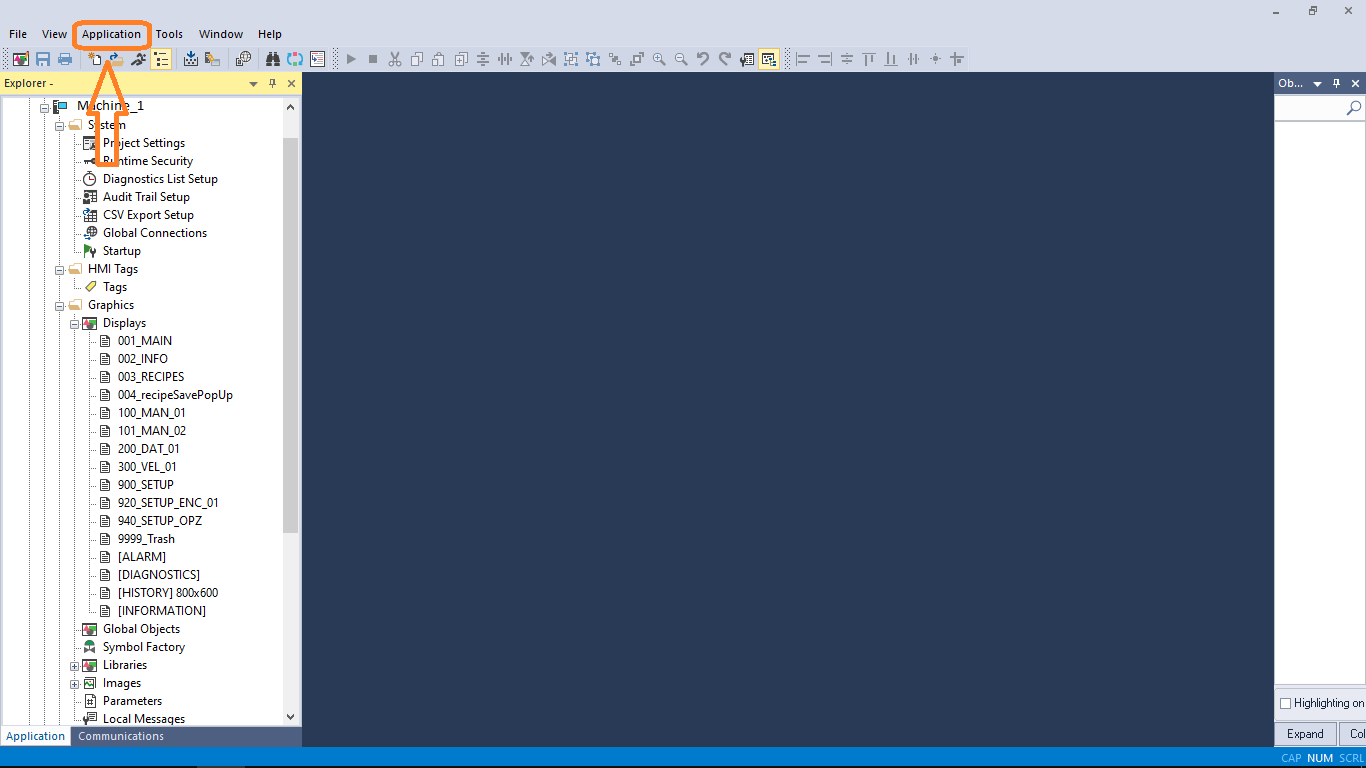
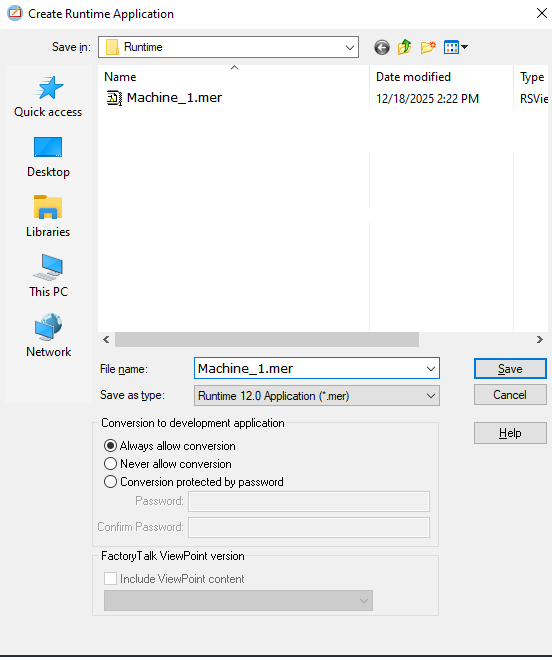
- Click on Application + "Create runtime application" + select firmware + click on save. The *.mer file will be created.
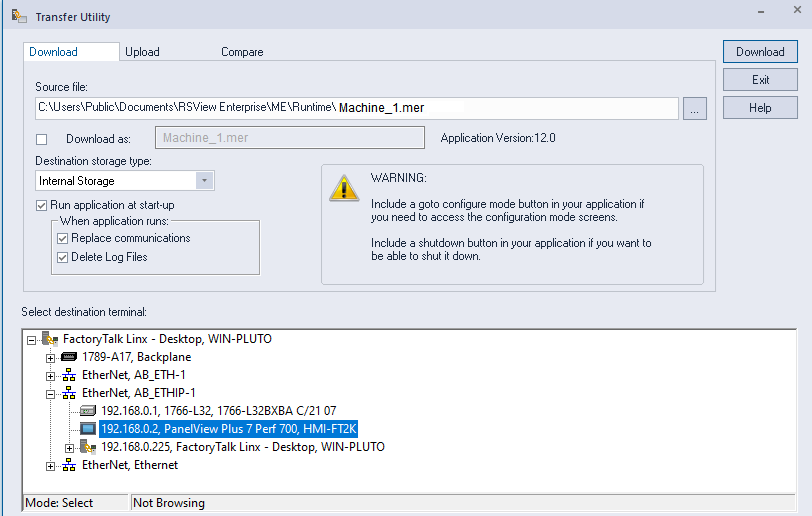
- Open "Transfer Utility" in "Tools" menu.
- Browse for the *.mer file + Download the *.mer to the HMI.
HMI Weintek
How to build a download file for USB disk/ CF card/ SD card
Author: MM. Date: 05/12/2025.
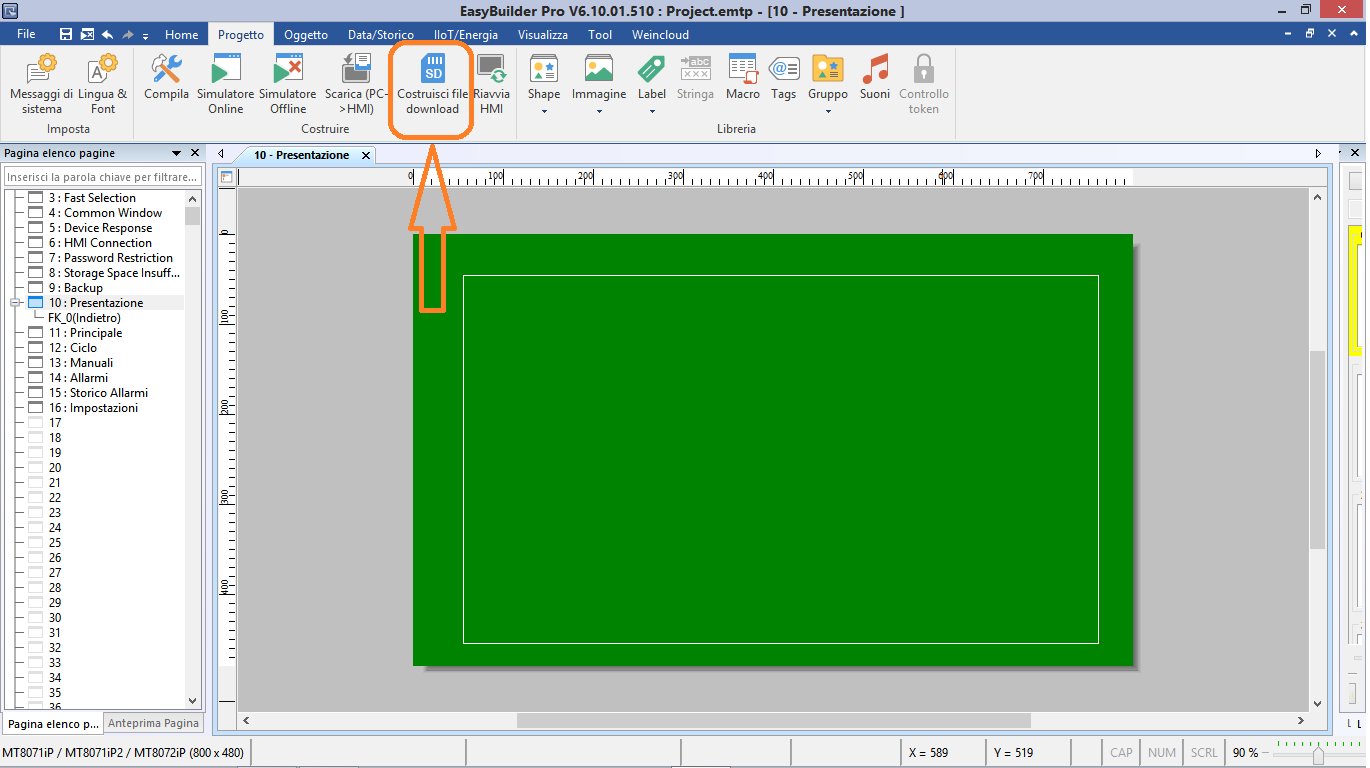
- Open HMI project with Easy Builder
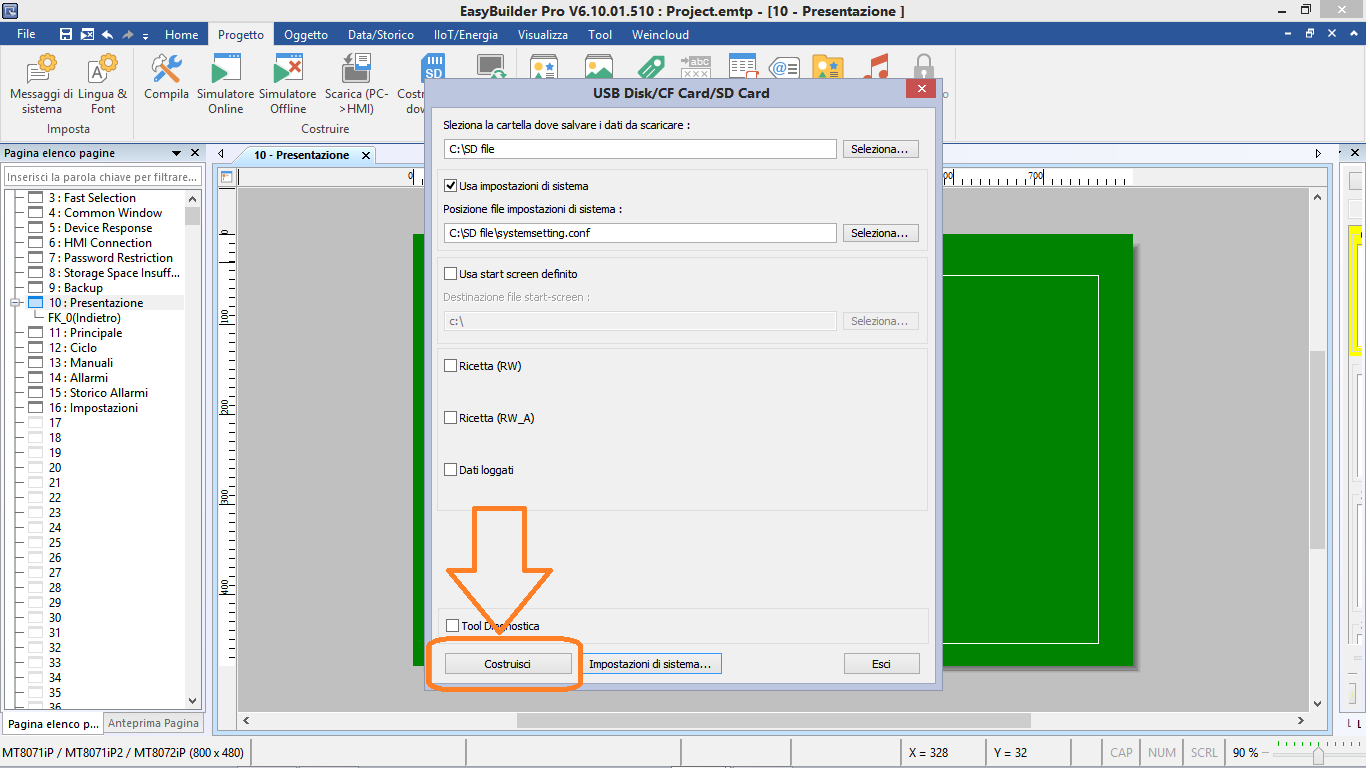
- Click on "Build download file".
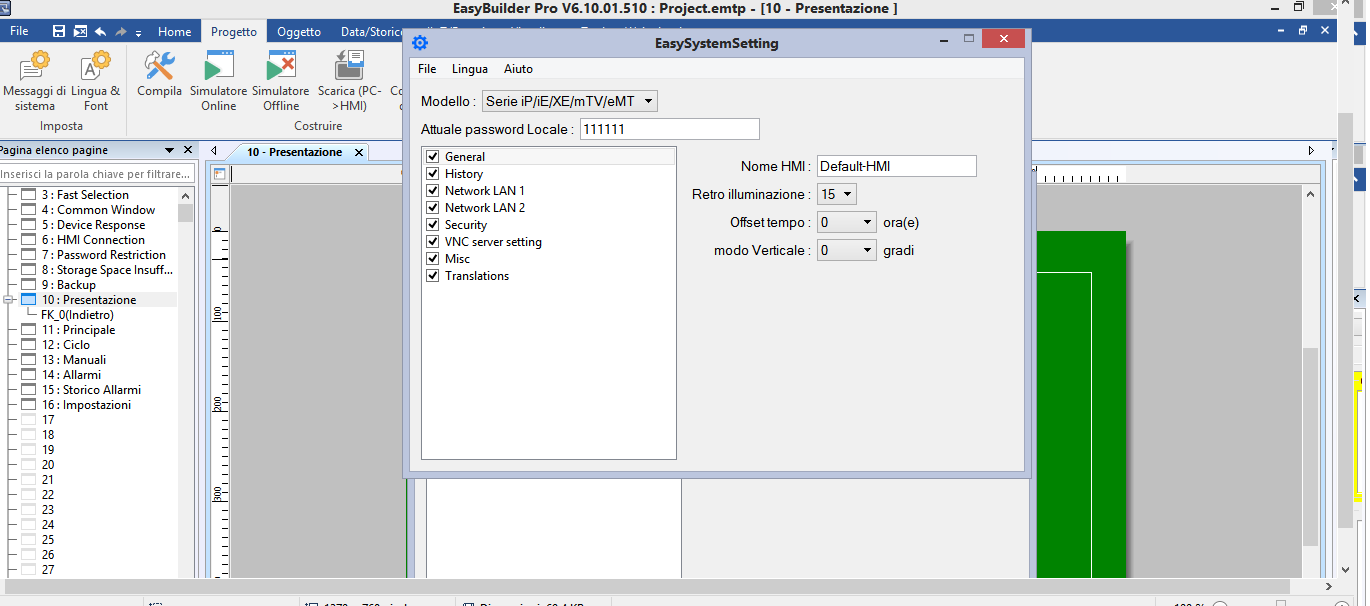
- Click on "System setting" to modify the system settings and save them in a file *.conf.
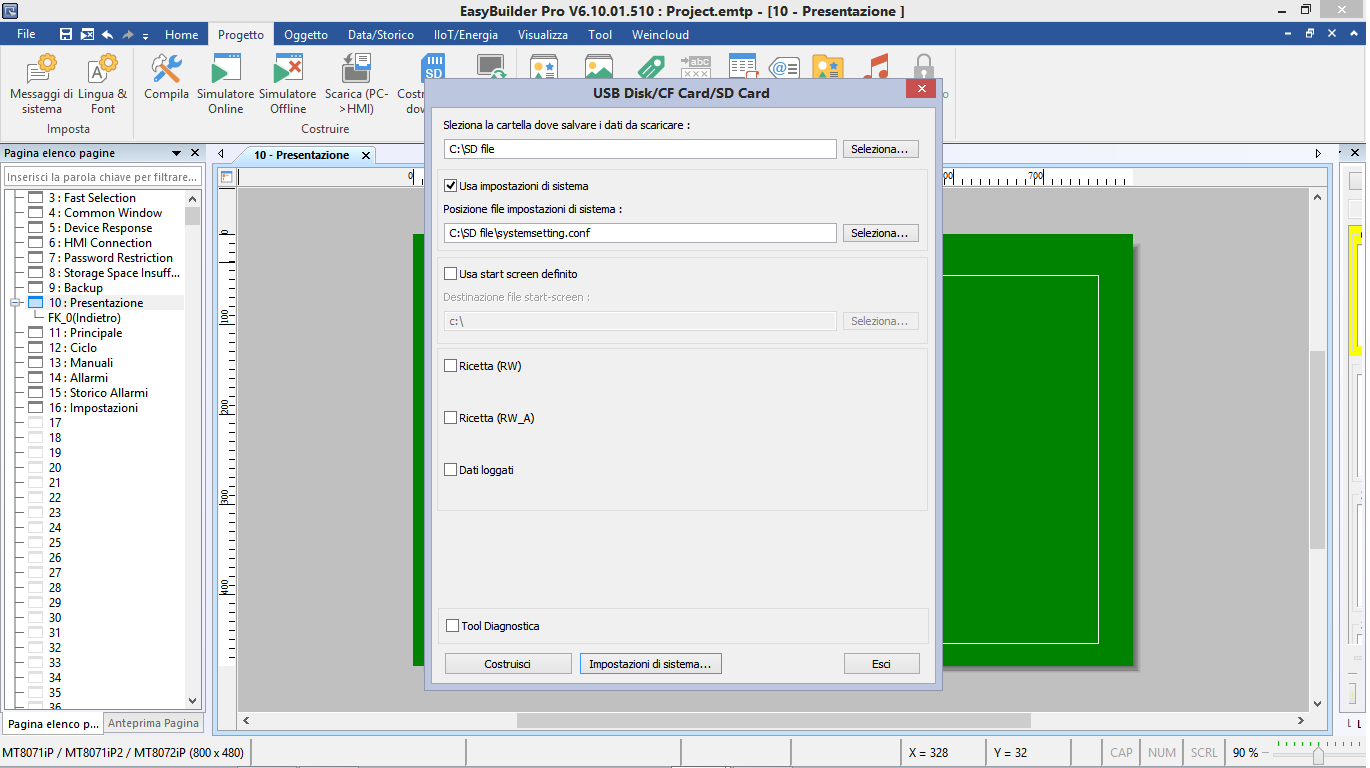
- Select the folder to save download data.
- Tick "Use system setting" if you want to download the system serttings as well.
- browse the system file to download (*.conf) previously created.
- Tick "Use user-defined startup screen" (eMT/iE/iP/XE/mTV Series) if you want to use an image during startup and browse it.
- Tick "Recipe (RW)" (eMT/iE/iP/XE/mTV Series) if you want to download the recipe file and browse it.
- Tick "Recipe (RW_A)" (eMT/iE/iP/XE/mTV Series) if you want to download the recipe_A file and browse it.
- Tick "Data log" (eMT/iE/iP/XE/mTV Series) if you want to download the data log file and browse it.
- Tick "Tool diagnostica" (eMT/iE/iP/XE/mTV Series) if you want to use the diagnostic tool.
- Click on "Build" to build the download file and wait for the confirmation popup.
HMI Weintek
How to import tags from TIA PORTAL to Easy Builder
Author: MM. Date: 03/12/2025.
- Open the Weintek project with Easy Builder.
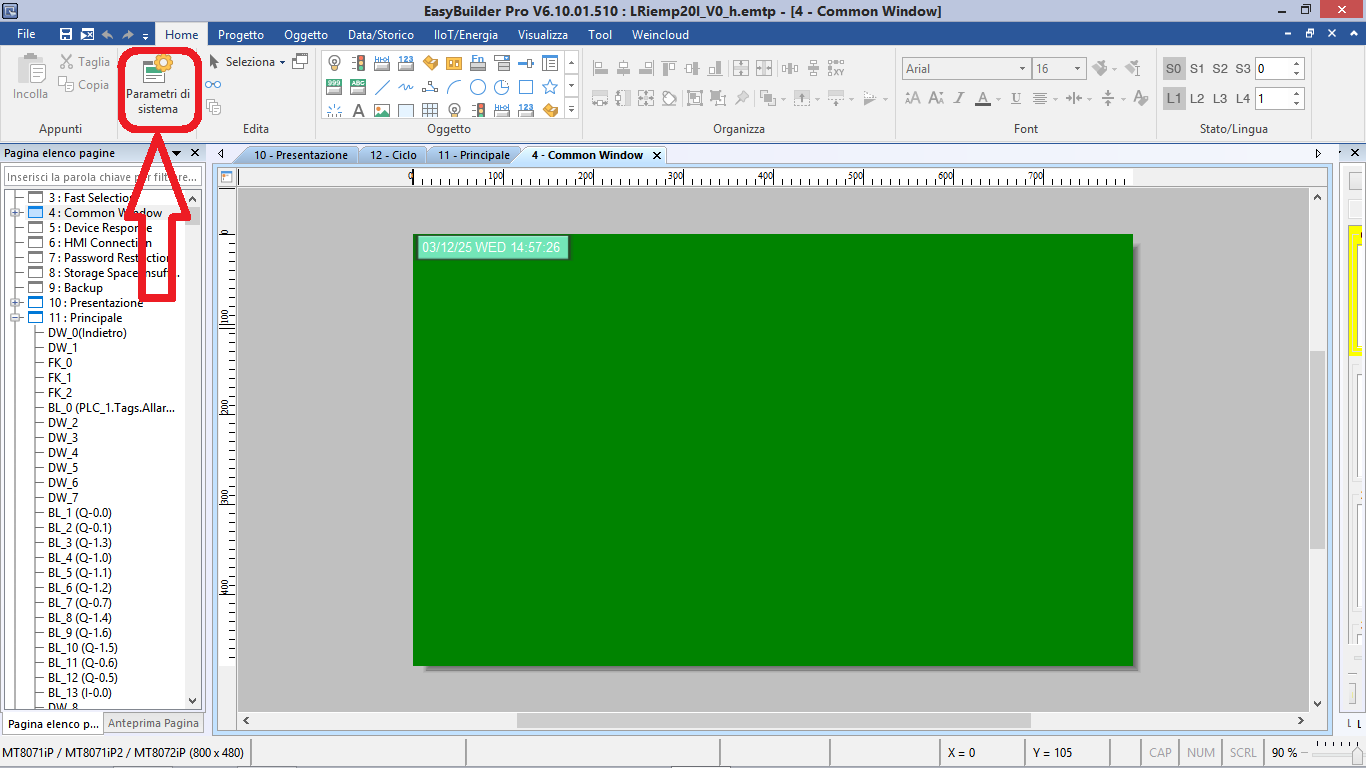
- Click on "System parameters".
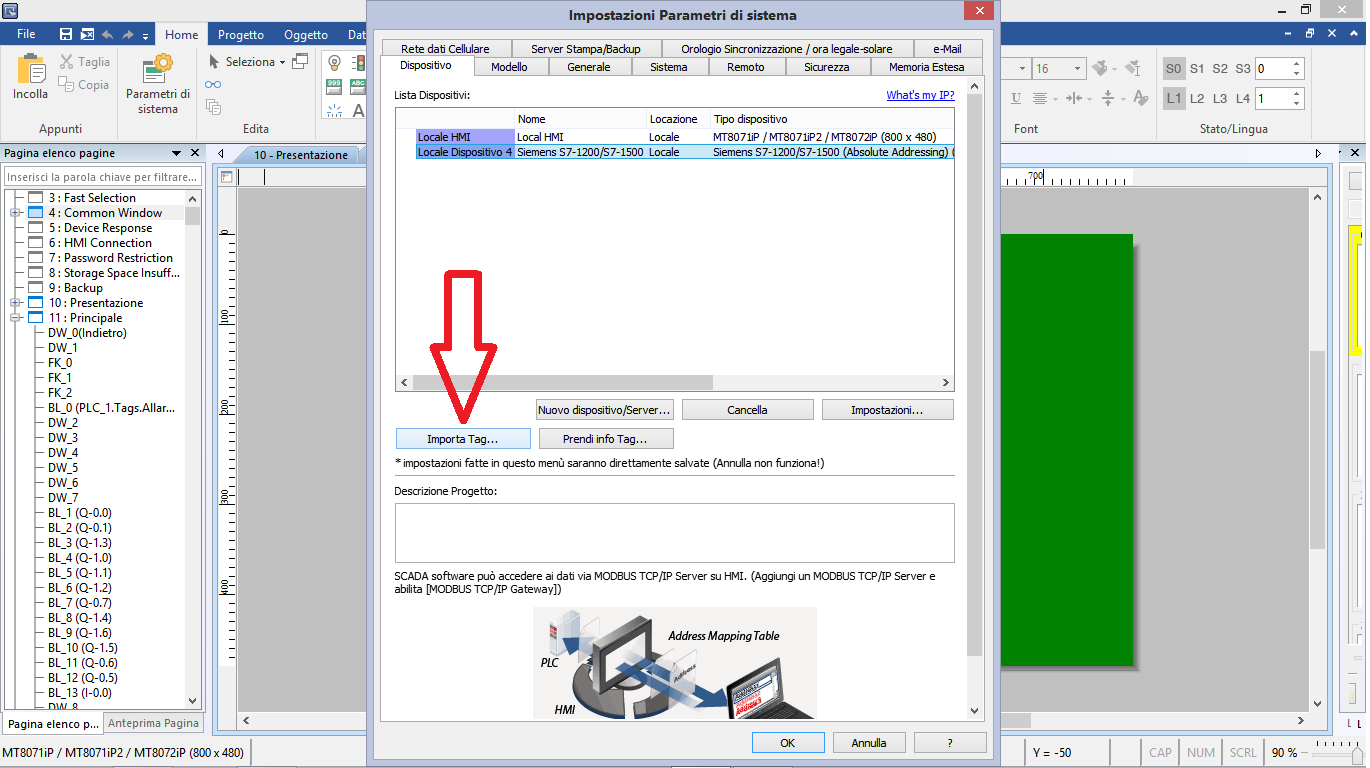
- Select the PLC connected to the HMI.
- Click on "Import Tag".
- Select the desired import type and click on "OK":
- Linear: separately import program blocks (*.scl, *.db) and PLC tags (*.csv)
- Hierarchical: import all the tags on the TIA PORTAL project (*.ap*)
- Click on "Browse" to select the TIA PORTAL project from where importing tags.
- Click on "Import".
- Choose if to use the PLC and table names defined by user.
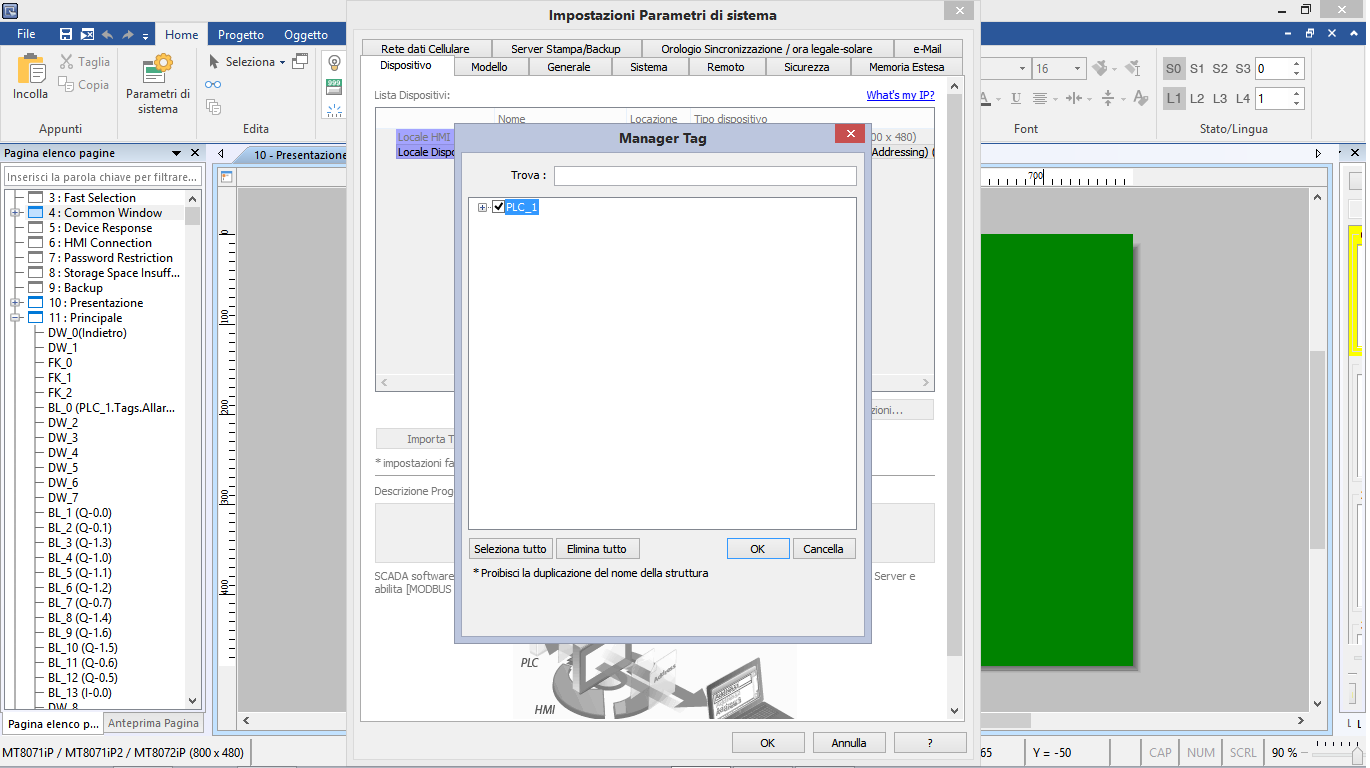
- Select tags to import and click on "OK".
- Choose if to maintain imported data only in the tags library or to archive data as a nested structure as well.
- Wait for confirmation "Import tag OK".
PLC ABB AC500
How to configure the execution modality of a task
Author: Staff. Date: 01/12/2025.
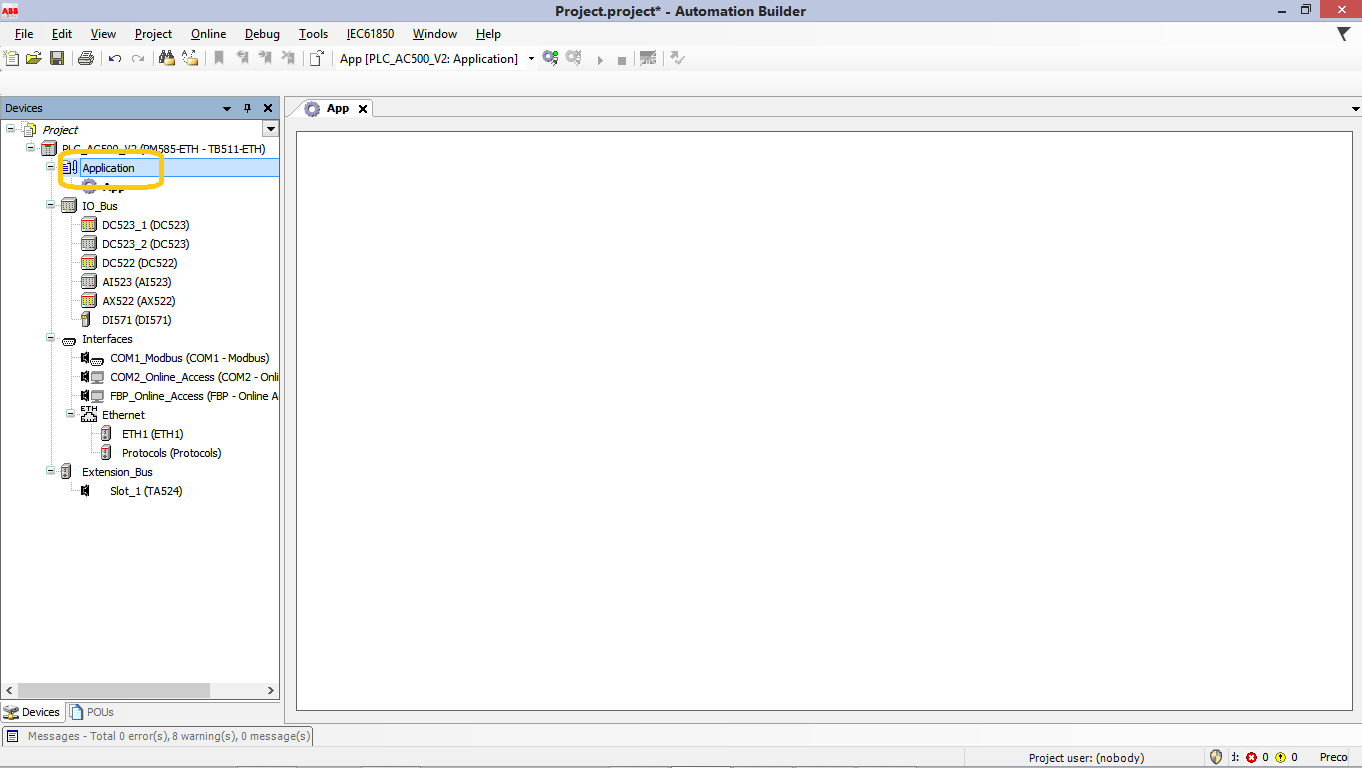
- Open the Automation Builder project and open "Application"
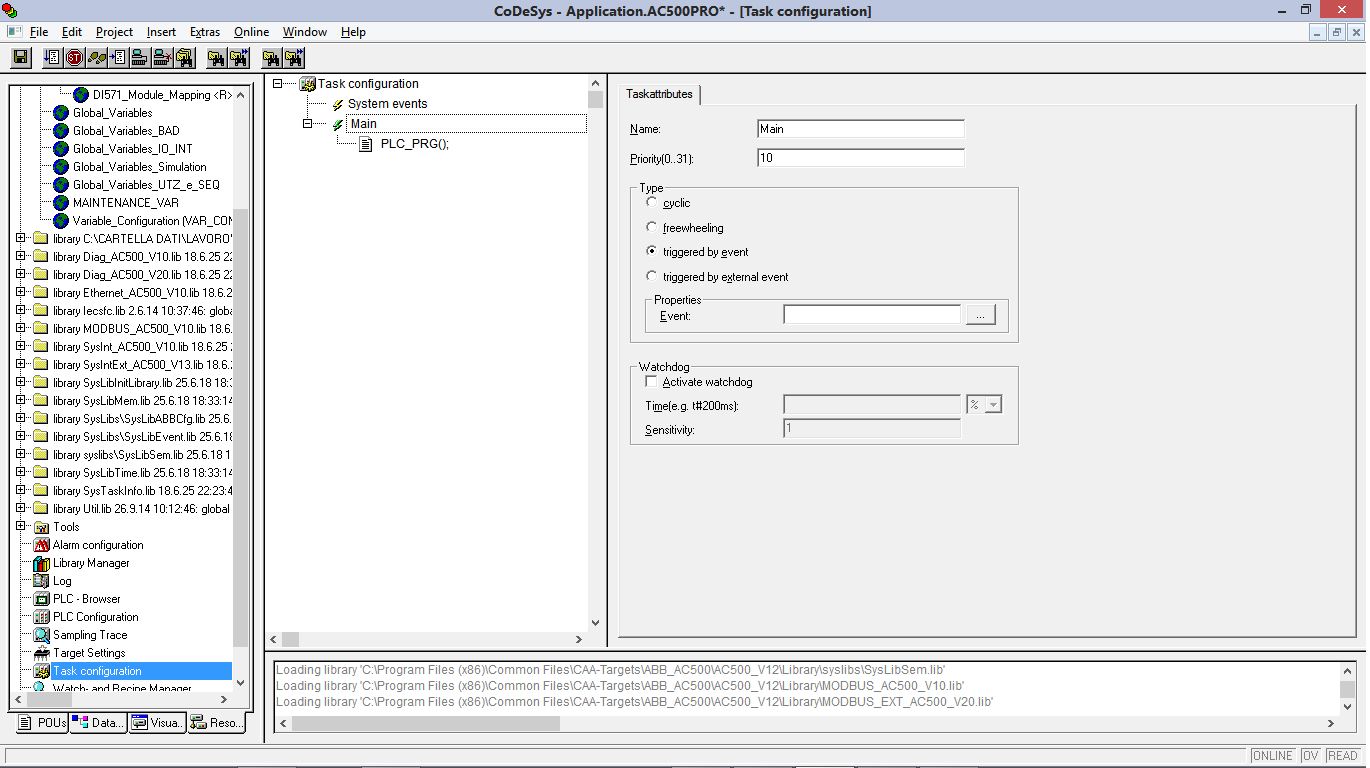
- Select the "Resources" folder.
- Open "Task configuration" window
- Click on the task name to open the "Task attributes" window
- Here you can set:
- Priority (0-31): (a number between 0 and 31; 0 is the highest priority, 31 is the lowest)
- Type of execution:
- cyclic: The task will be processed cyclic according to the time definition given in the field 'Interval' (see below).
- freewheeling: The task will be processed as soon as the program is started and at the end of one run will be automatically restarted in a continuous loop. There is no cycle time defined.
- triggered by event: The task will be started as soon as the variable, which is defined in the Event field gets a rising edge.
- triggered by external event: The task will be started as soon as the system event, which is defined in the Event field, occurs. It depends on the target, which events will be supported and offered in the selection list (Not to be mixed up with system events),
- Properties for event triggered tasks:
- Interval (for Type "cyclic" resp. "triggered by external event" if the event requires a time entry): the period of time, after which the task should be restarted. If you enter a number, then you can choose the desired unit in the selection box behind the edit field: milliseconds [ms] or microseconds [µs]. Inputs in [ms]-format will be shown in the TIME format (e.g. "t#200ms") as soon as the window gets repainted; but you also can directly enter the value in TIME format. Inputs in [ms] will always be displayed as a pure number (e.g. "300").
- Event (for Type "triggered by event" or "triggered by external event"): a global variable which will trigger the start of the task as soon as a rising edge is detected.